
Hold down the left mouse button, keyboard arrows, or touchscreen then move to navigate in any direction.
Press the + key, mousewheel up, or pinch on touchscreen to zoom in and - key, mousewheel down, pinch to zoom out.
and similar images at

and

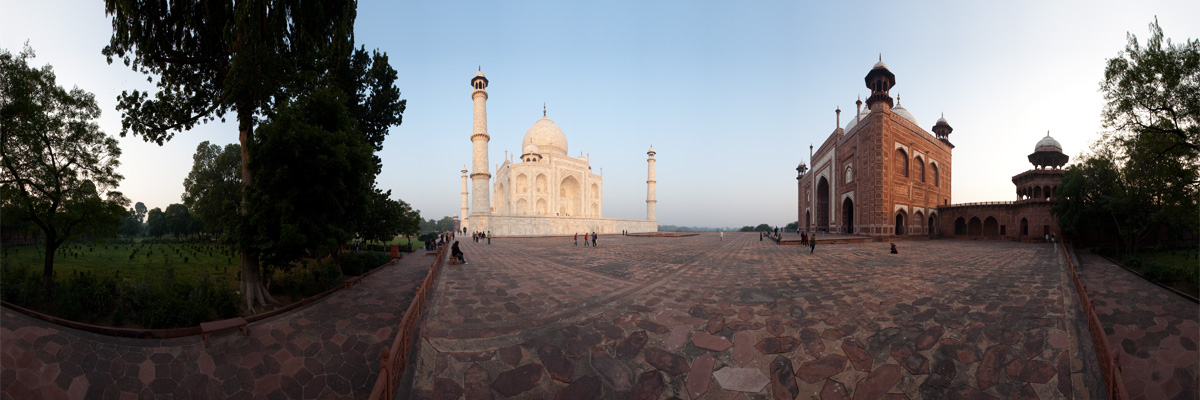
A user controlled panorama of the south-east corner of the Taj Mahal.
Over the course of the next few days, I plan to post panoramas from various parts of the Taj Mahal in order to give you a better idea of its layout. Hang on for the ride, it's officially a panorama-rama!
If you look closely, you'll see some repeatedly captured people in the panorama today and tomorrow. It was an accident I forgot to clone out but highlighted even more due to the fact they're wearing bright red!







2 Comments - Taj Mahal South East
I spent about two hours yesterday browsing through your blog. It's a real treat - the photos are great and your writing is always interesting too. Thanks!
Thanks Banjamin