
Hold down the left mouse button, keyboard arrows, or touchscreen then move to navigate in any direction.
Press the + key, mousewheel up, or pinch on touchscreen to zoom in and - key, mousewheel down, pinch to zoom out.
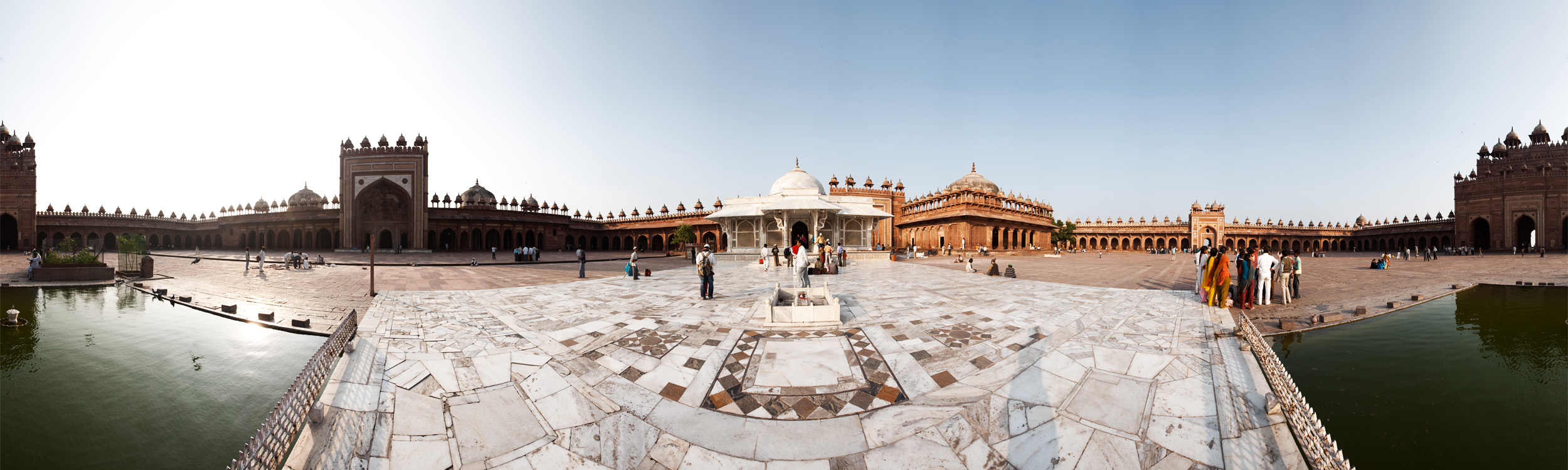
and similar images at

and

Panorama of Jama Masjid Courtyard.
Merry Christmas, everyone! I promise, one day I'll get off my buttocks and learn how to put a "loading" progress bar into my flash objects.








0 Comments - Center Court